Codeymon · Indie app studio

Small studio.
Apps worth keeping.

We design and ship focused, fast apps for Android, Mac and Windows: an exam companion, an AI prompt gallery, and a way to turn your tablet into a second screen. Three launched, more in the works.

3Apps launched
3Platforms · Android, Mac, Windows
100%Free to use
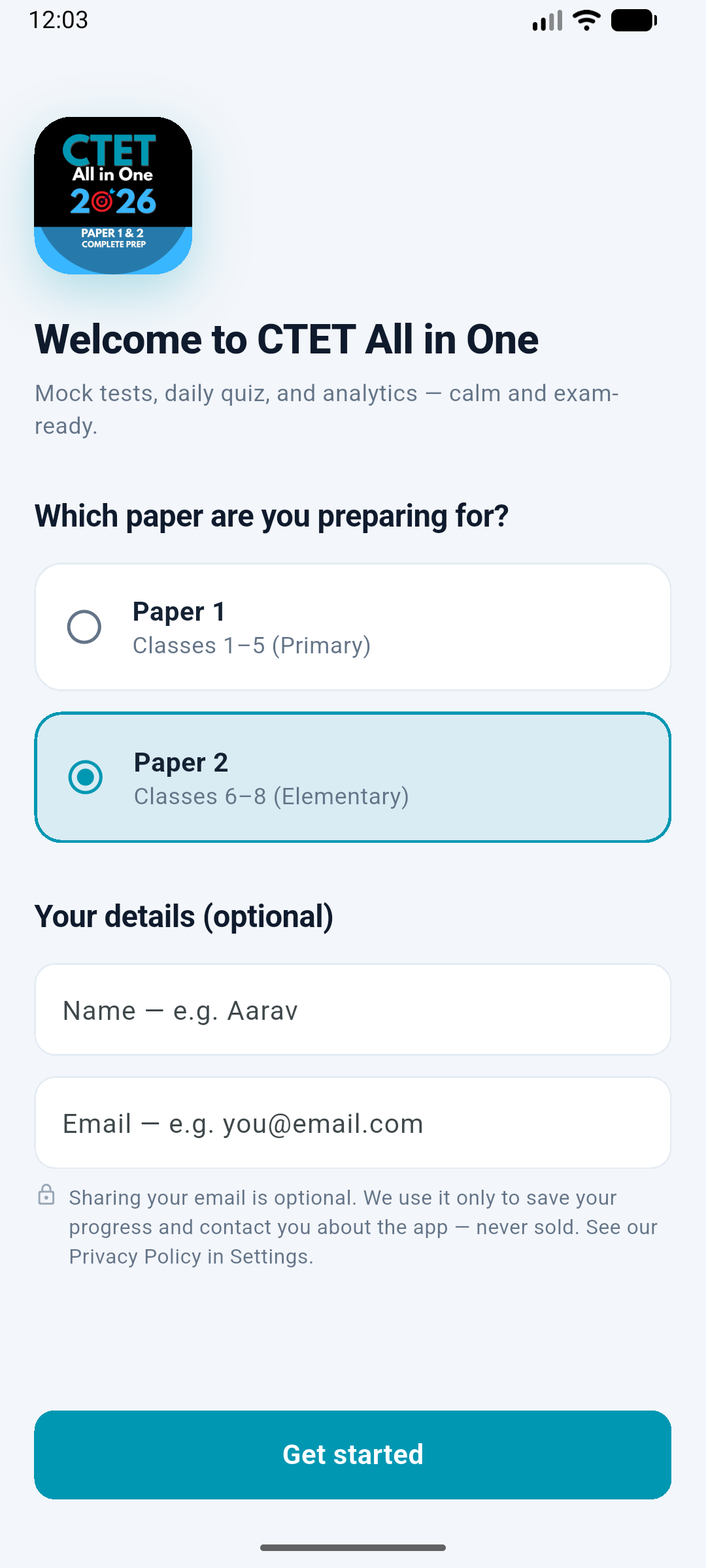
CTET All in One app — choose your paper and get started
All apps

Everything we've launched.

One studio, three very different products: a serious exam companion, a playful prompt gallery and a second screen for your computer. All free, all live.

CTET All in One icon
CTET All in One
Education · Exam prep
Android

A calm, CBT-style companion for the Central Teacher Eligibility Test — full-length mock tests, real previous-year papers, a daily quiz with streaks, and clear analytics. All in Hindi & English, fully offline.
Mock testsPYQDaily quizAnalyticsBilingualOffline
Prompt Directory
AI tools · Discovery
Android

A cheerful pastel gallery of AI prompts. Browse image & video prompt ideas, preview results, and copy in a couple of taps — for Midjourney, Gemini, Sora, Veo, Runway and more.

Image promptsVideo promptsOne-tap copyFresh daily
Sidekik icon
Sidekik
Productivity · Second screen
MacWindows · betaAndroid tablet

Turns an Android tablet into a real extended display for your computer. USB with monitor-like latency or wireless over Wi-Fi, full touch, and a quick-launch dock for your favourite apps.

Extended displayUSB · Wi-FiTouch120 fps
Spotlight · CTET All in One

Practice like it's the real exam.

The real CTET is computer-based. CTET All in One recreates it — the timer, the question palette, section flow — then shows you exactly where you stand.

Full-length mocks

Timed, exam-accurate tests with a real CBT-style interface.

Previous-year papers

Practice actual past CTET papers, organised code-wise.

Daily quiz + streaks

A quick set each day to build a consistent habit.

Performance analytics

Accuracy, weak topics, and score trends over time.

Bilingual हिन्दी · EN

Switch any question between Hindi and English instantly.

Offline & resumable

Works with no internet; pause a test and resume where you left off.

CTET All in One onboarding screen
Spotlight · Sidekik

Your tablet is now a second screen.

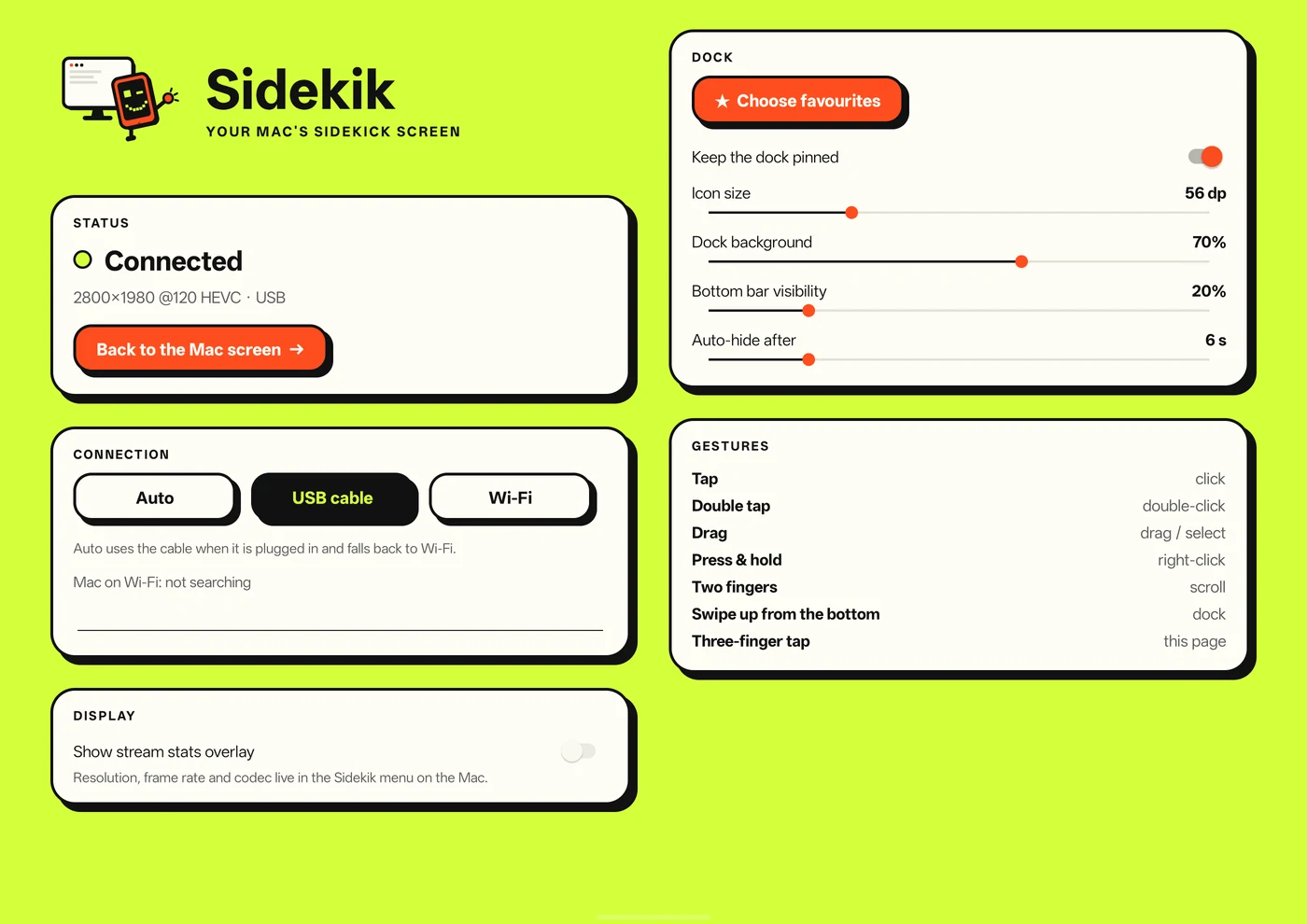
Sidekik gives your Mac (and Windows PC, in beta) a real extra display on any Android tablet. Plug in for about 3 ms round trip, or go wireless. Then touch it, drag windows to it and launch apps from its dock.

Monitor-like latency

Hardware encode and decode, and no lag that builds up.

USB or Wi-Fi

Automatic switching: the cable when it's in, Wi-Fi when it isn't.

Touch & stylus

Tap, drag, right-click on hold, two-finger scroll.

Quick-launch dock

Your favourite apps and sites, one swipe away.

Sidekik home page on an Android tablet, connected over USB
The studio

A tiny team that ships.

Codeymon is a small, independent app studio. We keep the surface simple and sweat the details underneath.

01

Focused, not bloated

Every app does a few things genuinely well — clear interfaces, quick flows, nothing in the way.

02

Offline & honest

Built to work without a signal, with privacy-respecting defaults and no dark patterns.

03

Shipped & maintained

Live on Google Play and codeymon.com, and actively updated: real content, real fixes, real people behind it.

Get in touch

Let's build something useful.

Questions, feedback, partnerships, or support for any Codeymon app — we're one email away.